
Selden Power Supply and SEL-Bus System — Installation Manual

Components, cable sizing, PSU/MCU wiring, push buttons, SEL-Bus network layout, button configuration and the full fault-code tables for the Selden Power Supply and SEL-Bus system, plus the Q&A, junction box and push button sheets.
Download PDF ▾

The System
- Runs from a 10–30V boat supply and delivers up to 1000W. The Power Supply Unit (PSU) raises the voltage to 40–48V, just below the 50V high-voltage limit.
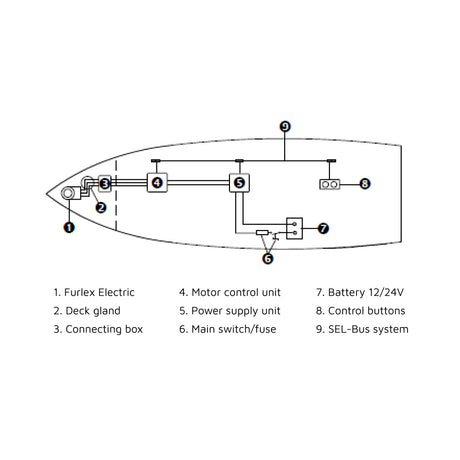
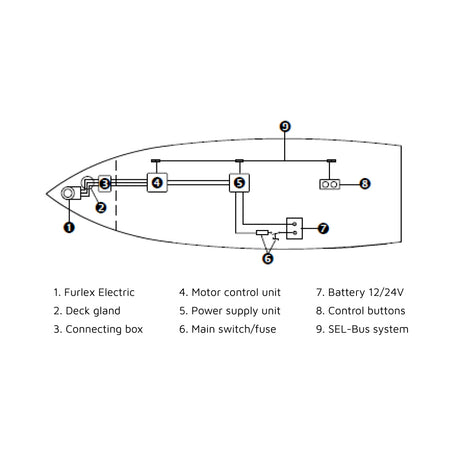
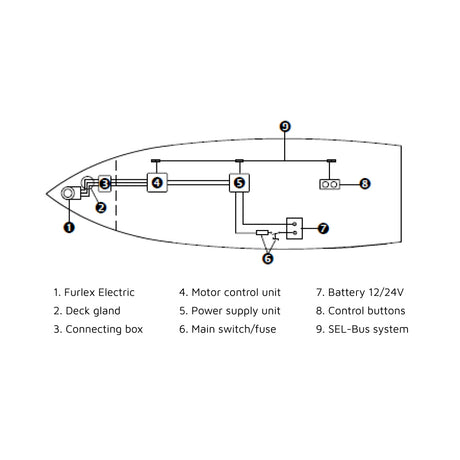
- PSU, Motor Control Units (MCU) and control buttons talk over a CAN bus called SEL-Bus: it carries diagnostics (flashing LED fault codes) and puts the system to sleep when idle.
- Sleep mode still draws a little current: switch off the main switch when you leave the boat.
- SEL-Bus is standalone: never connect it to another CAN bus such as NMEA 2000.
- One PSU per SEL-Bus system; each drive unit (E40i winch, SMF furling mast, Furlex Electric, CXe) has its own MCU. Parts come in PSU Start packs and Drive unit Control Packs (order guide 597-283-E).
- Each PSU should be connected to an emergency stop (pack = red illuminated button, protective guard and relay; see the Emergency Stop manual 597-219).
Component Data
| Item | PSU | MCU |
|---|---|---|
| Function | Converts 12V or 24V to 42V | Controls one drive unit |
| Size | 255x160x44 mm | 255x160x44 mm |
| Input voltage | 10-30 V | 42 V |
| Output voltage | 42V | – |
| Consumption, sleep | 0,1 A per unit on the 42V circuit (at 12V); 0,05 A (at 24V) | 0,1 A per unit (at 12V); 0,05 A (at 24V) |
| Power, maximum | 1000 W | 1000 W |
| Efficiency | 96% | 96% |
| Weight | 1100 g | 1700 g |
- SEL-Bus cables (backbone and drop): 0,3m / 1m / 2m / 5m / 10m. Main switch/fuse 100A / 60A. PSU–MCU power cables yellow and dark blue, 6mm2 / 10mm2.
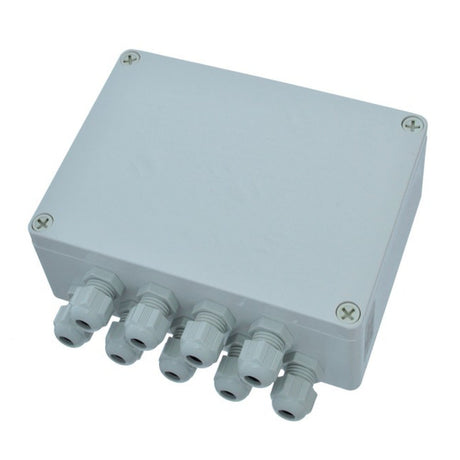
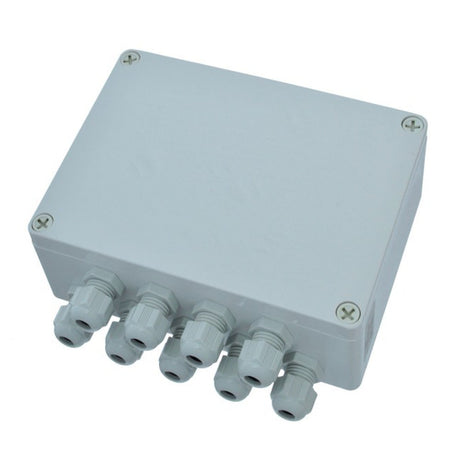
- SEL-Bus converter: turns push-button signals into SEL-Bus; supplied with 4x1,5m (red/green) push button cables.
- Not supplied by Selden: the 12V or 24V battery and the battery–PSU power cables.
Positioning
- PSU close to the battery; each MCU close to its motor unit (motor connection cables grey, orange, brown max 3x5m).
- Dry place, cables forming a drip loop; never in the engine compartment or another hot area.
- LED and ID label readable through the transparent lid; fuses under the lid easy to reach.
- Keep PSU, MCU and cables away from compass, antennas and GPS receivers.
- All SEL-Bus parts (T-connectors, terminals) accessible for inspection.
Battery – PSU Circuit
Main switch and fuse between battery and PSU. Turn the battery switch off before connecting.
| Battery | Fuse with time delay | Fast acting fuse |
|---|---|---|
| 12V | 100 A | 120-160 A |
| 24V | 50 A | 60-75 A |
| Volt | Total cable length max 5 m | Total length 5-10 m |
|---|---|---|
| 12V | Min 25mm2 | Min 35mm2 |
| 24V | Min 12mm2 | Min 25mm2 |
PSU & MCU Wiring
| Cable area | Recommended max length (positive + negative) |
|---|---|
| 6mm2 | 18m |
| 10mm2 | 40m |
Example from the manual: MCU A at 2x8 m = 16 m → 6 mm2; MCU B and C at 2x5m + 2x6 m = 22 m → 10 mm2. Extra MCUs connect in parallel, to the PSU or via another MCU.
- Undo the 5 Torx T20 screws and lift the PSU lid.
- Battery positive to +BAT, battery negative to -BAT (boat-standard colours).
- Dark blue cable from PSU +VBUS to MCU +VBUS; yellow cable from PSU -VBUS to MCU -VBUS.
- Open each MCU lid (T20), connect +VBUS / -VBUS, then the motor connection cables to L3, L2, L1 – positions vary by motor unit, follow its own manual.
Push Buttons & SEL-Bus Converter
- Place the SEL-Bus converter near the buttons, protected from weather, LED visible.
- Cut the green and red cables to length and fit the press connectors from the push button kit.
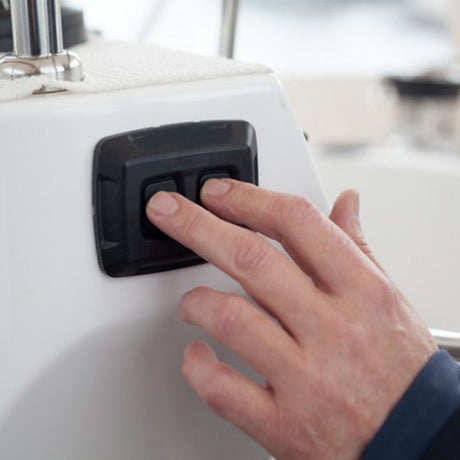
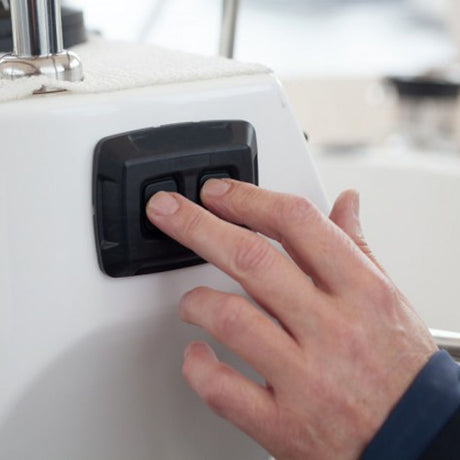
- Connect green and red cables to their buttons per the push button sheet; optional backlighting preferably on the nav-lights switch.
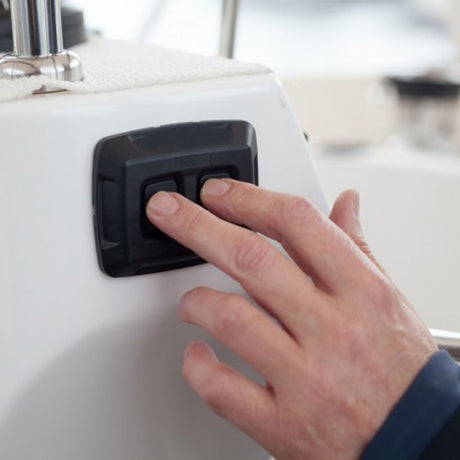
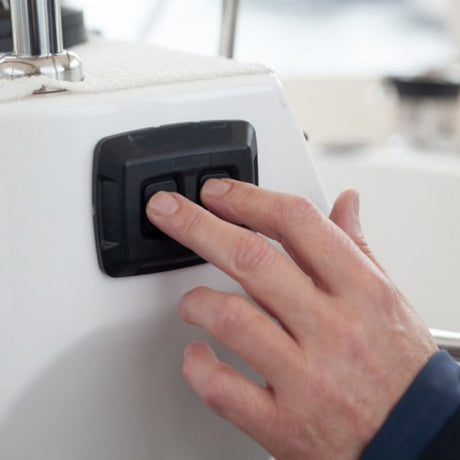
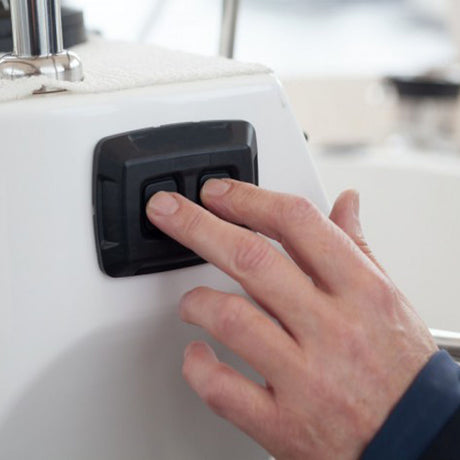
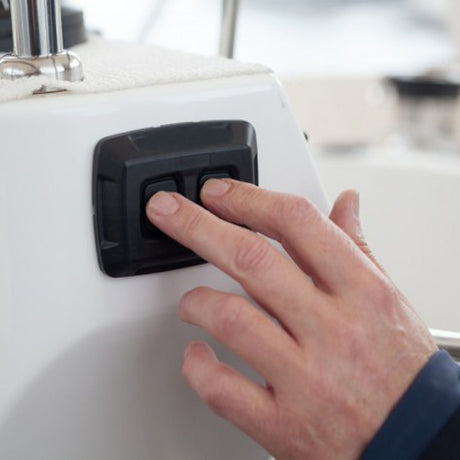
- Install the buttons where they cannot be pressed by accident when standing or sitting.
| Device | Part number | Converter input 1 | Converter input 2 |
|---|---|---|---|
| Furling Mast | 532-827-02 | In | Out |
| Furlex, CXe | 532-827-01 | In | Out |
| Reversing Winch | 532-827-01 | Out | In |
| Winch | 532-827-01 | 1 | 2 |
Illuminated push button (IP 67, Ø35mm, 540-457/540-459/540-460): control cables on positions 3 and 4 (normally open); backlight on a and b (12-24V, nav-lights circuit); positions 1 and 2 (normally closed) – do not use. Plug-in terminals 2,8x0,5. Panels: 540-462-01 (2x, 100x56x3mm), 540-461-01 (1x, 56x56x3mm), raised panel 540-482 (96x53x9mm); screws 2xMLC6S M5.
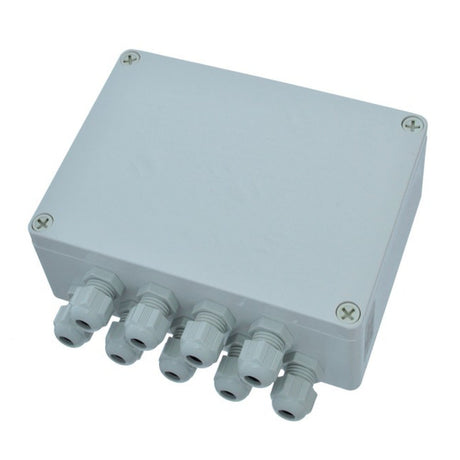
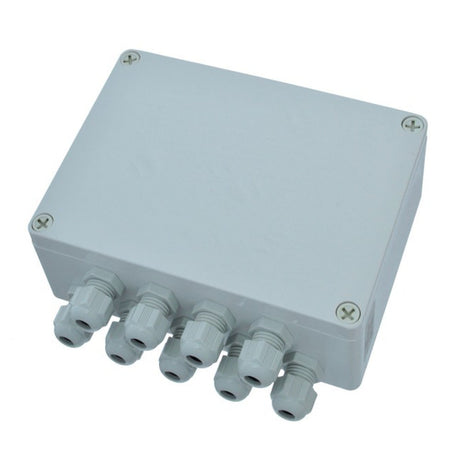
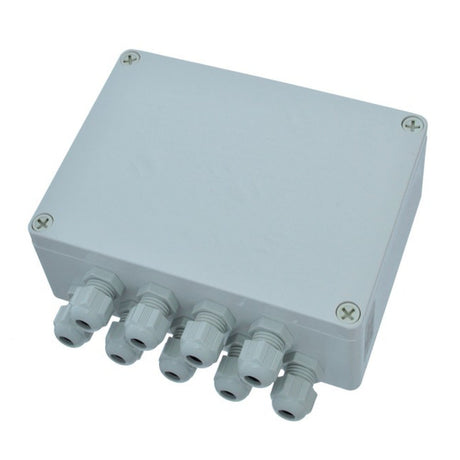
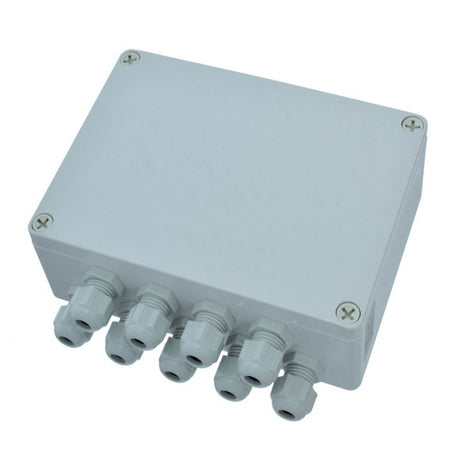
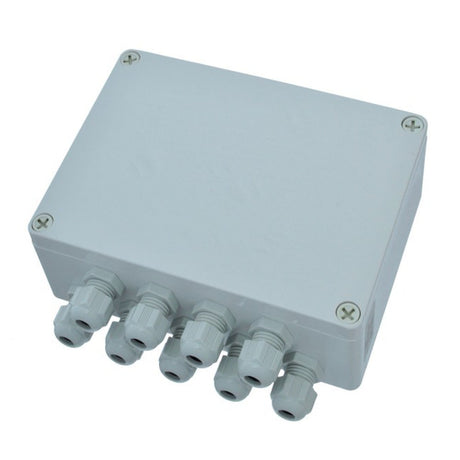
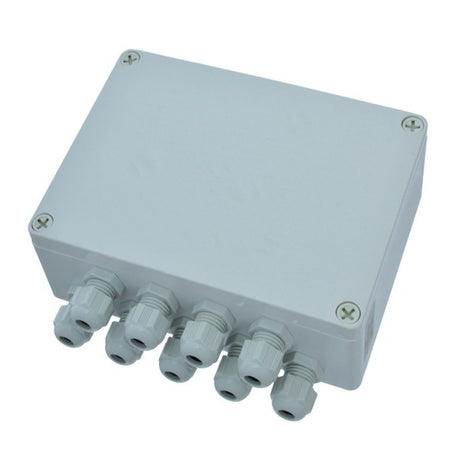
Junction box 532-487-01: turn the locks ¼ turn to open; knock out two perforated areas; fit the junction bridge with the blue locks at "0", then turn to "1"; mount with stainless screws (cover heads with grommets); fit the three-hole grommets, route and connect the cables (petroleum jelly on the ends); refit the lid strap and lock the lid.
Building the SEL-Bus Network
- Backbone runs along the boat and must start and end with the male and female 120-ohm end terminals.
- T-connectors (1 male, 2 female) join each unit's drop cable (max. 5 m) to the backbone.
- Total network length (backbone + drop cables) must not exceed 70m. Cables and T-connectors can be joined directly (2x 5m = 1x 10m).
- Keep the battery switch off until all SEL-Bus cables are in.
- Male terminal to the first T-connector.
- Drop cable from the first unit to the T-connector.
- First backbone cable to the T-connector.
- New T-connector at the end of that cable; repeat for each unit (PSU, MCU, buttons).
- Finish with the female terminal.
Linking Buttons to an MCU
| Config. button | Mode | LED | Action |
|---|---|---|---|
| Press once | Button configuration | Violet | Press the primary button set to link it |
| Press once after first configuration | Add a set | Violet | Add auxiliary buttons to the same MCU |
| Press twice | Reset configuration memory | Violet then green | Erases all linked button sets |
- Main switch on; wait for green LEDs on PSU and MCU.
- Press the MCU configuration button (under the lid, behind the LED; use a non-metal pin): LED turns violet.
- Hold either button of the set (in/out or 1/2) about 5 seconds until the motor unit gives its start-up signal.
The MCU must be connected to its motor unit first. Auxiliary buttons: splice them to the same converter (configured together), or use a second converter and add it with one more press of the configuration button.
Synchronized Main Furling
- Winch MCU to winch buttons 1/2.
- Winch MCU to MAIN OUT (synchronized outhaul).
- Furling mast MCU to MAIN IN.
- Reset the configuration memory first if the MCU was configured before.
- Disengage the motor from the manual furling gear (clutch) during configuration.
- Status LEDs: green = stand-by, blue = active, violet = configure mode, yellow = start-up calibration (MCU). After switch-on the LED is blue for 5-15 sec, then green.
Fuses & Fault Codes
- PSU fuses: 3A/5A for the SEL-Bus network (blown = communication failure); 30A power input (blown = green LED on PSU, other units dead).
- MCU fuse: 30A power input (blown = that MCU dead, others work). Replace with standard blade fuses of the correct rating.
- Warning codes flash white (count the flashes); error codes alternate colours. Codes can take up to a minute to appear after start-up and are not memorised: write them down before switching off.
PSU
| Code | Meaning | Action |
|---|---|---|
| 1 white | Output current overload or output over/under voltage | Information for service technician |
| 2 white | SEL-Bus cable/network error | Check 3A and 5A PSU fuses; inspect the network |
| 3 white | Device overheat | Relocate away from heat, or let it cool after heavy use |
| 4 white | Cable voltage drop PSU–MCU (warning) | Check power cable size and connections; rewire |
| 5 white | Cable voltage drop PSU–MCU (error), system off due to fire hazard | As code 4 |
| 6 white | Input over current limiter activated | Change PSU |
| 7 white | Input over voltage | Troubleshoot the boat's electrical system |
| 8 white | Input under voltage | Change bad battery; check 12V/24V cable size and connections |
| Red, white, red | General electrical hardware error | Exchange PSU |
| Red, white, green | Memory chip error | Exchange memory chip |
| Red, yellow, red | MCU memory chip inserted in PSU | Insert correct PSU chip |
| Red, yellow, green | SEL-Bus hardware error | Exchange PSU |
| Red, yellow, blue | Multiple PSU detected | Only one PSU per SEL-Bus system |
MCU
| Code | Meaning | Action |
|---|---|---|
| 1 white | Force derivate lockout triggered | Information for service technician |
| 2 white | SEL-Bus cable/network error | Check 3A and 5A PSU fuses; inspect the network |
| 3 white | Device overheated | Relocate away from heat, or let it cool |
| 4 white | SEL-Bus network communication failure | Check 3A and 5A PSU fuses; inspect the network |
| 5 white | PSU power failure | Check the PSU fault code |
| 7 white | SEL-Bus converter error | Inspect the network |
| Red, white, red | General electrical hardware error | Exchange MCU |
| Red, white, yellow | Bad motor or connection to motor | Check motor cables; change drive unit if bad |
| Red, white, green | Memory chip error | Exchange memory chip |
| Red, yellow, red | PSU memory chip inserted in MCU | Insert correct MCU chip |
| Red, yellow, green | SEL-Bus hardware error | Exchange MCU |
| Red, yellow, blue | PSU error | Exchange PSU |
| Red, flashing | Memory chip missing or faulty | Install / replace memory chip |
SEL-Bus converter (red LED)
- The LED lights for 5 min after switch-on and after each button press when the converter is working and on the network.
- LED on, buttons dead: buttons not configured; or bad converter–MCU link (check MCU codes); or bad button–converter link (wait for the LED to go out, press a button: if it stays out, check cables or change the buttons).
- Flashing 2, 4 or 5 times: converter software/hardware error – replace it. 3 times: button error – check and clean connectors, replace buttons.
- LED off: no power from the network (inspect the network) or bad converter.
- Network faults: switch the system off and on once, read the codes on every unit (PSU, MCUs, converters) and compare them with the fault-location examples in the PDF.
Questions & Answers (597-518-E)
- Why 42V? Thinner power cables, lower battery current, smaller motors for their power; 42V rather than 48V because peaks over 50V count as high voltage in many countries. A 48V boat still needs the PSU on 12V or 24V.
- Consumption examples: hoisting a 12m mainsail with an E40i takes 40 sec at 35A average from 12V = 0,38Ah. Unfurling the main (SMF) on a 40' boat takes 30 sec at 25A = 0,2 Ah; furling = 0,08 Ah. Each MCU and the PSU draw 0,1 A asleep.
- Emergency operation: Furlex Electric has an emergency line driver with endless line as standard; SMF uses a winch handle in the original line driver; E40i: take the line to a regular winch.
- E40i: max working load 1100 kg static; electric cut-off during operation 600 kg.
- Motor cables: 5 meters, the maximum per the CE marking – do not lengthen.
- Motors and gearboxes are sealed and maintenance-free. All units must be on the SEL-Bus for any of them to run. A hum before and after running is the MCU checking motor resistance; the flash at switch-on is the LED, not a spark.
Need a part that isn't listed? Ask us to source it and quote the part number from the PDF.
Products in this Manual
-


Selden Control Pack (Genoa) for 300e / 304e Furlers
SEL53281563
$970.00 USDUnit price /Unavailable -
-
Selden Control Pack for CXe25 & CXe45 Furlers (No Push Buttons)
SEL532-815-71
$880.00 USDUnit price /Unavailable -
Selden Control Pack (No Buttons) for 400e / 404e Furlers
SEL53281568
$790.00 USDUnit price /Unavailable -
Selden Control Pack (Cutter) for 400e / 404e Furlers
SEL53281567
$970.00 USDUnit price /Unavailable -
Selden Control Pack (Genoa) for 400e / 404e Furlers
SEL53281566
$970.00 USDUnit price /Unavailable -
Selden Control Pack (No Buttons) for 300e / 304e Furlers
SEL53281565
$790.00 USDUnit price /Unavailable -
Selden Control Pack (Cutter) for 300e / 304e Furlers
SEL53281564
$970.00 USDUnit price /Unavailable -
Selden Control Pack (No Buttons) for 200e / 204e Furlers
SEL53281562
$790.00 USDUnit price /Unavailable -
Selden Control Pack (Cutter) for 200e / 204e Furlers
SEL53281561
$970.00 USDUnit price /Unavailable -
Selden Control Pack (Genoa) for 200e / 204e Furlers
SEL53281560
$970.00 USDUnit price /Unavailable -

Selden CTRL.PACK,E40i RC SYNC(NO BUTTONS)
SELDEN-CTRL-PACK-E40I-RC-SYNCNO-BUTTONS
$820.00 USDUnit price /Unavailable -
Selden CTRL.PACK,E40i RB SYNC(NO BUTTONS)
SELDEN-CTRL-PACK-E40I-RB-SYNCNO-BUTTONS
$820.00 USDUnit price /Unavailable -
Selden Winch Control Unit for Winch E40i - Basic Pack (no buttons)
SEL-532-815-81
$790.00 USDUnit price /Unavailable -
Selden Winch Control Unit for Winch E40i - Basic Pack
SEL-532-815-80
$970.00 USDUnit price /Unavailable -
-
-
-